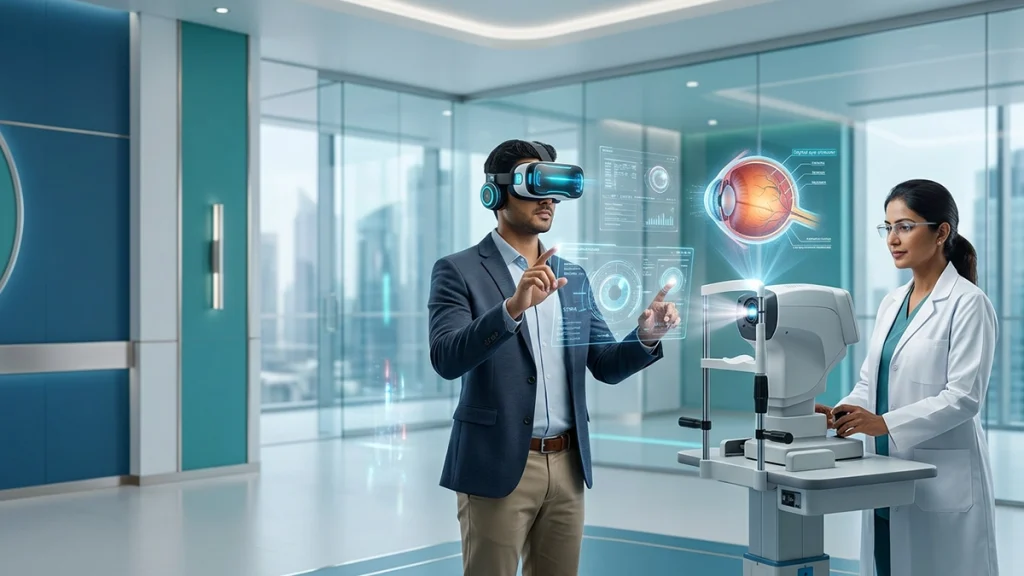
Artificial intelligence has made its way into phones, laptops, learning platforms, games and at the office. We see virtual reality which is very immersive and augmented reality which puts info in our real world. That is why AI Screens and Eye Health is important to users of all ages.
The issue at hand is not that artificial intelligence will attack the eye. What we see is how modern devices are changing visual behavior. Long term use may reduce blinking, increase near focusing effort and put users in front of glare, small text or at uncomfortable brightness. Also we see that issues related to AI Screens and Eye Health are the same as Digital Eye Strain, dryness, temporary blurred vision, headache and neck discomfort.
The National Eye Institute and the US Centers for Disease Control and also Prevention report that long term computer screen use is an issue which may be ameliorated by way of regular visual breaks. They put forth the 20-20-20 regulation which suggests at each 20 min to take in 20 sec and look at something 20 ft away.
What AI, VR and AR Ask the Eyes to Do
AI we are talking about software here and not specific hardware. As for the visual aspect, it is determined by viewing distance, display quality, and duration, which in turn means that AI Devices and Vision are more or less the same issue of user habits rather than the software.
VR devices present you with close-in displays and lenses which create the illusion of depth. The eyes must be aligned as the brain does its job of interpreting motion and simulated distance. Some users report VR Headset Eye Strain, headache, nausea or disorientation. The FDA reports that in medical settings and in populations of which may be more fragile AR and VR devices may cause dizziness, physical tiredness, info overload, and vision issues also during use of what one sees compared to the real environment. In the case of AR Glasses Eye Health perspective we have issues like brightness, how clear the image is, comfort of fit, the problem of constant toggle between digital elements and the true world.
| Device type | Main visual demand | Possible short-term response | Practical adjustment |
| AI-enabled phone, tablet or laptop | Sustained near focus, small text and reduced blinking | Dryness, Eye Fatigue, headache or temporary blur | Increase text size, reduce glare and take distance breaks |
| Virtual reality headset | Simulated depth, motion and binocular coordination | VR Headset Eye Strain, dizziness or nausea | Use shorter sessions, adjust the fit and stop when symptoms begin |
| Augmented reality glasses | Frequent switching between overlays and real objects | Focusing discomfort, distraction or blur | Keep overlays simple, stable and comfortably bright |
| AI-assisted desktop display | Long periods of concentrated viewing | Computer Vision Syndrome and posture-related discomfort | Keep the display at a suitable distance and balance room lighting |
Why AI Screens and Eye Health Can Feel Tiring
The eyes blink in order to spread tears over the cornea. On long screen sessions blinking may become less complete or may stop. In that time the tear film which is present evaporates at a greater rate which causes burning, grittiness, watering and redness. That there is a connection between Screen Time and Eyes health is also true for the use of smart technology. An advanced display does not remove the requirement for blink breaks. Also for a more intelligent screen, a break from screen use still is required.
Near tasks also out which the eye’s focusing response and convergence the in ward movement that keeps both eyes on a close target also play a role. With sustained demand the eye may have difficulty shifting between near and far. People with dry eye, an improper spectacle prescription or binocular vision issue may notice symptoms earlier. The National Eye Institute reports that convergence insufficiency may cause blur or double vision during near activities like reading or computer use. Sion Syndrome is a broad term which covers up eye and body issues related to extended digital device use. It includes dryness, watering, intermittent blur, headache, light sensitivity and shoulder tension. In a study available at the US National Library of Medicine it is reported dry eye, itching, watering, blurred vision and headache are recognized features of Digital Eye Strain. Ice may give relief to one person and cause tiredness for another based on distance, blink rate, lighting and eye health. For AI Screens and Eye Health what does is what an individual finds comfortable.
AI Screens and Eye Health: Does AI Directly Cause Vision Problems?
Current research doesn’t report that AI software in fact changes the structure of the eye. As for what we do know, what is more pressing is that personal recommendations, constant feeds, and automatic tools can get users to engage for longer. This may put up Screen Time and Eyes discomfort by doing away with natural breaks.
AI can also enlarge text, improve contrast, provide voice control and assist clinical screening. The relationship between AI Devices and Vision is therefore not entirely negative.
A thoughtful discussion of AI Screens and Eye Health should present facts not fears. Post session dry eyes from extended use is different from permanent damage. That said, report persistent or progressive Vision Problems which may be a result of an unstable prescription, dry eye or some other eye health issue.
AI Screens and Eye Health in VR: Focusing and Cybersickness
VR may be intense because although the physical screen is at a set distance the virtual action may appear very close or very far away. This may present an issue for focus and eye alignment in some users. Also motion may cause what the eyes see to be in conflict with what the inner ear is telling the brain which in turn may cause cybersickness and VR Headset Eye Strain.
Research is that we do not see permanent damage from routine short VR use in healthy eyes. In a study of young adults they reported no adverse short term binocular issues at the end of a 40 minute session which is a while another systematic review of the field reports mixed results. Also report no push for pain, double vision, severe headache, nausea or loss of balance. Stop session, rest till symptoms go away and check that the headset is put in right. Right alignment, a clear picture and proper interpupillary distance settings may reduce VR Headset Eye Strain. This practical solution is key to AI Screens and Eye Health in immersive settings.
AI Screens and Eye Health in AR Glasses
AR devices report as doing a better job of including the physical environment which in turn divides attention between what is real and what is digital. Also we see that focus shift between the two which may cause issues when text is too small, too bright or not in the right place. Also it is put forward that AR Glasses Eye Health Issue is a function of the design of the device, how it fits, the length of the task and the user’s existing prescription.
AR overlays must not block hazards or move out of place. Continuous blur, headache, or double vision requires an eye exam rather than what is to be considered normal. At the core of AI Screens and Eye Health.
AI Screens and Eye Health: Does Blue Light Cause Strain?
Concerns about blue light exposure are prevalent which is in part due to the fact that screens emit visible blue light. But what we see is that screen discomfort is more so a result of sustained near work, reduced blinking, glare, brightness and poor ergonomics than blue light itself.
Reviews at the National Library of Medicine report that which is mixed when it comes to blue light filter effectiveness in reducing symptoms. A Cochrane review reports that blue light filtering lenses may not outperform ordinary lenses in the short term for computer related eye strain. also reports that blue light exposure at night does in fact perturb sleep timing, but that blue light products should not be used in place of breaks, full blinking, glare control or an accurate prescription.
AI Screens and Eye Health for Children and Teenagers
Children may report that their eyes are itchy, they are squinting, sitting very close to the screen which is out of the ordinary for them or they have headaches. These may be signs of Digital Eye Strain, refractive error or binocular difficulty.
Parents can include in their child’s day a variety of activities which are not close at hand and also get them out into the open for play. Also follow what the product says for age appropriate use and if you see issues with Vision Problems, double vision or headaches have the child checked by a professional.
| Everyday situation | Healthier visual habit | Why it may help |
| Long AI-assisted study or office session | Use the 20-20-20 rule and stand up regularly | Relaxes near focus and creates opportunities to blink |
| Dryness while reading | Blink fully and avoid direct fan or air-conditioner flow | Supports the tear film and reduces irritation |
| Glare from a laptop | Reposition the screen and control window reflections | Reduces squinting and visual discomfort |
| Small AR text or crowded overlays | Increase font size and simplify information | Reduces focusing effort and cognitive load |
| Discomfort inside VR | Stop immediately and resume only after symptoms settle | Prevents worsening VR Headset Eye Strain or cybersickness |
| Recurring blur or headache | Arrange a comprehensive eye examination | Checks for dry eye, refractive error or binocular problems |
AI Screens and Eye Health: Practical Eye Care Tips
Useful Eye Care Tips are easy. At a desktop computer put the screen at arm’s length, and at or just below eye level. Use larger font sizes which will remove the need to lean in. Reduce reflections and set screen brightness to that of the room. CDC says for a comfortable monitor distance, glare control, adjust the brightness and take regular breaks. Balance screen time with breaks, break up work into short sessions and look away into the distance between tasks. Contact lens wearers that experience dryness may require tips on lubricant use or wear schedule.
Use short VR sessions, clean lenses and stable settings. For AR, minimize distracting notifications and overlays. These habits support AI Screens and Eye Health.
When Should You See an Eye Doctor?
Mild Computer Vision Syndrome does also improve with rest and better ergonomics. We advise an exam when symptoms relapse, affect performance at work or persist after the device is put away. Sudden vision loss, persistent double vision, flashes, a new shower of floaters, severe pain, marked redness or strong light sensitivity require prompt medical attention.
Recurrent Vision Problems should not be automatically attributed to screen use. An exam may determine if your symptoms are from Eye Fatigue which is temporary, dry eye, a refractive error or some other issue. Also, the CDC reports that in order to catch early signs of common eye diseases you should have a comprehensive dilated eye exam. and A Different Kind of Vision Change?
These technologies are in the process of transforming how we use vision. They are bringing about longer near work, faster attention shifts and the integration of real and simulated depth. But AI Screens and Eye Health is not a black and white issue of technology which harms all users.
Suitable frame choice, balanced lighting, regular breaks and timely exams improve comfort. AI Devices and Vision tied together by habit as much as hardware.
The best way to approach AI Screens and Eye Health is with knowledge. Pay attention to blink rate, distance, posture, screen brightness and symptoms. Technology may be useful if attended too early when signs of discomfort present.
Conclusion
The issue of AI Screens and Eye Health should be presented in balance. These devices are useful, but they do put forth long term viewing. Most discomfort is temporary, at the same time repeat symptoms may indicate dry eye, an unsuitable prescription or binocular difficulty.
Responsible viewing practices, evidence based Eye Care Tips and regular eye exams play a role in how we benefit from innovation at the same time protect everyday visual health. In this sense AI Screens and Eye Health is not about avoiding technology but rather learning to use it well.
Frequently Asked Questions
1. Can AI screens permanently damage the eyes?
Routine use is a thing which has not been proved to cause permanent damage in the case of AI in a device. AI Screens and Eye Health issues mostly revolve around extended near work, reduced blinking and glare.
2. What are the common symptoms of digital eye strain?
Digital Eye Strain is a which may present with dryness, burning, temporary blur, headache and trouble refocusing. Persistent symptoms should be assessed.
3. Why does a VR headset make my eyes hurt?
VR Headset Eye Strain may be caused by high focus demand, poor fit, blurred optics or sensory conflict. At any point of pain, nausea, dizziness or double vision report stop.
4. Are AR glasses safe for daily use?
AR Glasses Eye Health is a function of display brightness, how the device fits, image placement, time of use and the user’s vision. Also note that regular breaks are very much a key.
5. Do blue-light glasses prevent computer vision syndrome?
Evidence reports do not support that we see any long term benefits from Computer Vision Syndrome. For relief try glare reduction, get the right glasses for your needs, remember to blink and take visual breaks which may in fact prove to be more useful than just paying attention to Blue Light Exposure.
6. Can too much screen time cause blurred vision?
Yes. Screen Time and Eyes strain may present with temporary blurs, dryness and delayed refocus. Persistent, painful or one sided blur requires assessment.
7. Can AI devices diagnose eye disease?
Some tools do perform screen and image analysis but AI Devices and Vision technology does not replace that of an ophthalmologist’s examination.